Designing Adaptive UI for Multi-Device Experiences in the Modern Digital Age

#AdaptiveUI #UIDesign #MultiDeviceUX

Author

Jay Anthony

09 December 2025 8 min read

adaptive UI

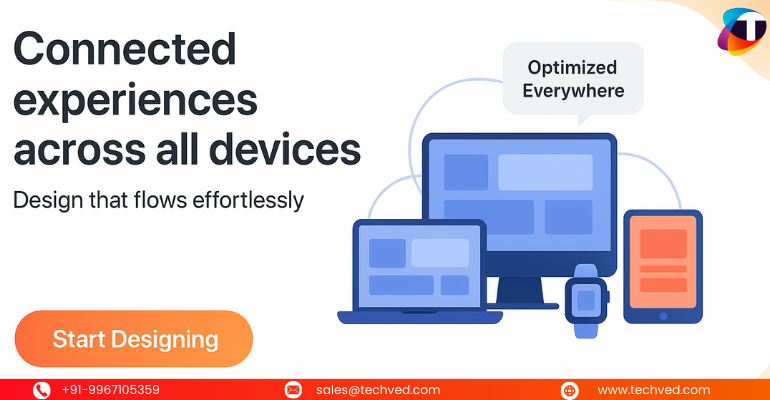
If there’s one thing today’s users have in common, it’s this: they’re constantly switching devices. They start reading on a laptop, continue browsing on a mobile screen, maybe jump to a tablet during a commute, and later explore the same content on a smart TV or wearable device. And as they move, they expect the UI and user interface to stay seamless, familiar, and intuitive. 

This constant device-shifting has created one of the biggest challenges for businesses today: How do you create adaptive, consistent, and intelligent experiences for every screen, every format, and every user? 

Read on to know why adaptive design matters more than ever, how UX design and technology like AI are shaping the future, what modern UI/UX design trends are emerging, and practical UI UX tips to elevate your multi-device strategy. Whether you're building a product, upgrading a website UX UI, or partnering with a UI UX design services company, these insights will help you create experiences users truly love.  

Why Multi-Device Experiences Matter Today 

Your users don’t just “open a website” anymore. They interact with an entire ecosystem: 

  • Smartphones 

  • Tablets 

  • Laptops 

  • Smart TVs 

  • Wearable devices 

  • Voice-enabled assistants 

  • AI-powered interfaces 

Each device adds a new context: screen size, interaction pattern, user behavior, and even psychological expectations. This is where UI and UX web design becomes crucial. 

When your digital product feels inconsistent across devices, users instantly feel disconnected. They abandon tasks. They drop off. They lose trust. 

But when your UI and user interface psychology are aligned across devices, your brand feels trustworthy, well-designed, and easy to use. 

Adaptive UI: The Foundation of Modern Multi-Device Design 

Adaptive UI goes beyond simple “responsive design.” 
Responsive design adjusts layout. 
Adaptive design adjusts experience. 

Here’s the core difference: 

  • Responsive UI → Resizes content automatically 

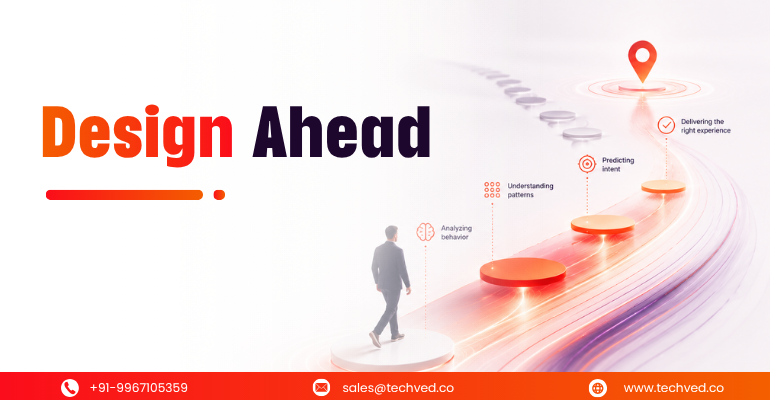
  • Adaptive UI → Understands device context, user behavior, and interaction patterns, then adapts the experience 

In short, adaptive UI is smarter, more thoughtful, and more aligned with real user needs. 

This is where AI comes in. 

How AI Is Reinventing Adaptive UX/UI 

AI is no longer just a buzzword; it’s the backbone of AI, UX/UI experiences. It helps digital products understand: 

  • What the user might need next 

  • When to simplify interactions 

  • Where users struggle 

  • How to personalize journeys in real time 

Some real examples of AI interfaces revolutionizing UX: 

  • Smart navigation that changes based on user behavior 

  • Predictive search that reduces effort 

  • Layout adjustments based on the user’s device history 

  • Personalized content cards 

  • Voice-based interactions for hands-free usage 

Businesses that work with a UI UX design company now expect AI-powered design thinking, not just static screens. 

Modern UI/UX Design Trends Driving Multi-Device Interfaces 

Several key modern UI/UX design trends are shaping how brands create multi-device experiences: 

1. Minimalist, distraction-free design 

Users jump between contexts. A clean interface helps them adapt instantly. 

2. Mobile-first, but not mobile-only 

Design begins with mobile but expands to every screen. 

3. Voice and gesture-friendly interactions 

Essential for IoT devices, smart TVs, and wearables. 

4. AI-powered personalisation 

Interfaces that evolve based on user behavior. 

5. Micro-interactions 

Small animations that guide users without overwhelming them. 

6. Component-based UI systems 

Ensures consistency across devices. 

These trends are shaping how UI design and UX design teams build future-ready digital ecosystems. 

User Interface Psychology: The Secret Behind Adaptive Design 

Understanding user interface psychology is the true UI UX design secret behind successful multi-device interfaces. Users subconsciously expect: 

  • Familiar patterns 

  • Predictable navigation 

  • Stable spacing 

  • Consistent hierarchy 

  • Smooth transitions 

If your mobile app behaves differently from your website, your users feel cognitive friction. They pause. They think. They hesitate. 

But great UX removes friction. It makes digital interactions feel natural, no matter the device. 

Practical UX Design Tips for Building Multi-Device Interfaces 

Here are simple, actionable UX design tips and UI UX tips your team can apply immediately: 

1. Build a unified design system 

A design system ensures consistency in spacing, colors, typography, components, and interactions. 

2. Focus on content hierarchy first 

Content should guide design, not the other way around. 

3. Use adaptive imagery and typography 

Optimize for readability across all screen sizes. 

4. Design for touch, click, tap, swipe, and voice 

Different devices = different gestures. 

5. Prioritize speed across all screens 

Faster load times dramatically improve UX. 

6. Test with real users on real devices 

Emulators help, but real devices reveal real behaviors. 

A strong UI UX design services strategy ties all of this together by using data, testing, and analytics to continuously improve user experience. 

UI and AI: Understanding the Difference 

Many confuse UI and AI difference, but here’s the simplest explanation: 

  • UI (User Interface) → What users see and interact with 

  • AI (Artificial Intelligence) → The technology that makes the interface intelligent 

Together, UI + AI create experiences that are smooth, intuitive, and contextually aware. 

Why Partnering With a UI UX Design Services Company Matters 

While many teams try to handle design internally, multi-device UX requires: 

  • Deep product understanding 

  • Strong engineering collaboration 

  • Knowledge of device ecosystems 

  • Expertise in AI-driven design 

  • Experience with web development or UX design workflows 

A specialized UI UX design services company brings all this together, ensuring that every screen, interaction, and journey feels seamless. 

Companies looking to scale digital experiences significantly benefit from partnering with an experienced UI UX design company that understands global standards and modern digital behavior. 

As a leading UX UI design services company in India, TECHVED helps businesses worldwide create adaptive UI that works seamlessly across all devices. 

With deep expertise in user behavior, design systems, and modern multi-device strategy, TECHVED ensures brands deliver consistent, intuitive, and future-ready digital experiences. Their data-driven and AI-enhanced design approach empowers companies to stay ahead in the evolving digital landscape. 

The Future of Adaptive UI in the Modern Digital Age 

As technology evolves, adaptive UI will no longer be “nice to have.” It will be the baseline expectation. 

Future experiences will be: 

  • AI-driven 

  • Emotionally aware 

  • Context-responsive 

  • Hyper-personalized 

  • Seamlessly connected across devices 

The brands that invest early; through strong strategy, design thinking, and expert UX practices, will become leaders in digital products and multi-device journeys. 

And enablers like TECHVED and their data-backed and AI-driven design approach, can enable companies to stay competitive and future-ready in the fast-evolving digital landscape. 

FAQs 

What do you mean by adaptive design?  

Adaptive design is a UX approach where interfaces change based on predefined screen sizes or device types. It delivers tailored layouts to ensure users get an optimized experience on every device. 

What is an example of adaptive UI?  

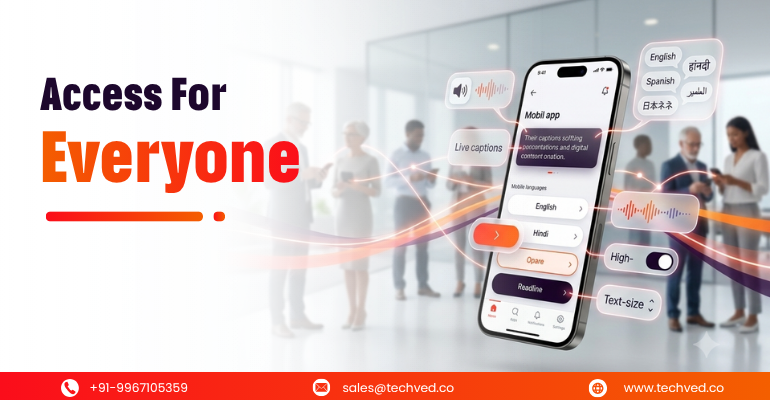
An example of adaptive UI is a mobile app that automatically changes its layout, font size, and navigation based on the user’s device, preferences, or accessibility needs. It tailors the interface to each user, ensuring a more comfortable and personalized experience. 

What is the difference between responsive UI and adaptive UI? 

Responsive UI automatically adjusts layouts fluidly across screen sizes, using flexible grids and percentages. Adaptive UI, on the other hand, delivers tailored layouts based on predefined screen breakpoints and user context for a more personalized experience. 

What is adaptation in design?  

Adaptation in design refers to adjusting an interface or layout to fit different devices, contexts, or user needs. It ensures the design stays functional, usable, and consistent across varying environments. 

What is adaptive design in CSS? 

Adaptive design in CSS uses fixed, predefined layouts that change at specific breakpoints to fit different screen sizes. Instead of fluid resizing like responsive design, it serves distinct layouts optimized for each device type. 


Share :

Mumbai

Concluding message

A well-designed website for users with disabilities is a site that is more accessible to use for all types of users.

A well-designed digital business can easily explain the process of online buying and selling for users with disabilities and can add more value to the business.

Therefore, add some mint into the users’ cup of tea and provide an accessible zest to your digital assets by making it more compliant.

Feel free to get in touch with TECHVED Consulting!

Author Image

WRITTEN BY

Jay Anthony

Marketing Head | TECHVED Consulting India Pvt. Ltd.

He led efforts to develop a fully integrated marketing communications plan and growing team. He is responsible for successful corporate re-brand and update of all branded assets.

Linked linkedin-logo

Know Your
Users Today

Share business email ID for quick assistance

Thank you for dropping in your details!

Our experts will contact you soon

From ideation to digital transformation

We take care of all your needs

Let's Connect