

- Home
- Services
We bring to you New-Age Digital Solutions
- Automated Translation
- TECHVED AI
- Case studies
- CLIENTS
- More

Let's get started
We believe in advancing your business growth with innovative ideations and strategies
Get In Touch


 Back
BackInterface design patterns - A designers guide
InterfaceDesignPattern

Jay Anthony
10 December 2016 | 8 min read
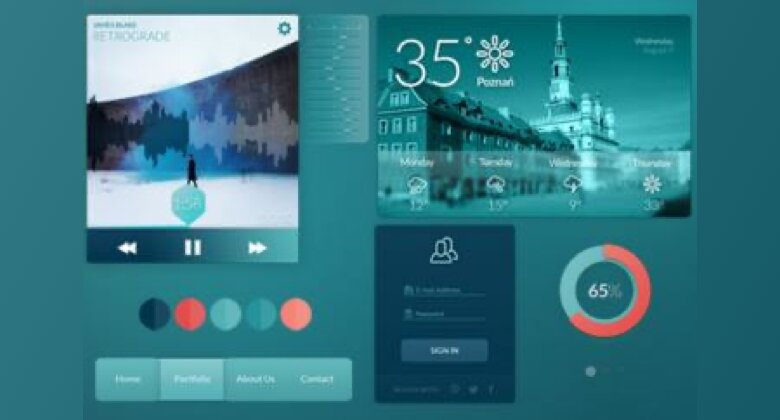
Mobile Design patterns help in fixing most of the problems during web development. Knowing all the right patterns for mobile ui design will eventually help you in placing all the essential design components in the right place. As designer, most of you must be already aware of some basic things like interaction suggestions, search functions, galleries, organization of forms and best solutions to combat the problems that arise while executing them. Avoiding common pitfalls and anti-patterns for mobile app design should also be considered as one of the primary inputs for making a design work.
Below mentioned are a few interface design patterns that are worth considering and used by most mobile apps. This will eventually help in making a mobile app design visually intuitive. Let’s focus on the following important patterns:
1. Notifications
Highlighting the recent actions and activities can help in notifying the users promptly. Tonnes of information are collected by the users on a daily basis. However, due to lack of time, not all users would willingly spend time browsing on their mobile phones. Everyone loves to do things in the shortest possible time and know if there are any activities available that would seek their interest. To make the notification crisp and clean, one should understand the right execution of design patterns.
If the patterns for notification are not implemented well, it will pique user’s interest. Here’s how the apps you use the most have done it:
- The notification on Facebook can be viewed by clicking on the popup banner displayed on the news feed. It drops down within the app allowing the users to view in a single glance
- Twitter users know about the recent updates by seeing a small dot on the timeline icon
- LinkedIn shows a badge with the number of notifications that you have received along with the updates
>You can work on the similar lines and see if any of these solutions will work for defining your purpose.
2. Pull-to-refresh pattern for content updates
As habitual users of social media sites, all must be aware of a common gesture that reveals updated content by pulling down from the top of the page. Apple introduced this innovative and easy pattern and since then, it has been widely appreciated. The pattern of pull-to-refresh can be followed when a catalogue of items has to be shown. The sequence of new items on top followed by the older ones looks natural. Additionally, mobile ui design should look systematic, save space and be easy to discover as well. Apart from using this pattern to update the content, it can also be used for loading images and messages.
3. Social Media login
You may all be aware of certain games that ask for permission to login via Facebook. Thinking about the frequent use of social media sites, one can often use this option to lessen the lengthier processes of form filling and registering for any service. In a social network dominating era, why is there a need to submit all the credentials in a conservative way? Providing the users with a social media login alternative is a better way to grant them a quick and easy access. There are numerous reasons why this option is worth implementing in your mobile app:
- Using existing social media account means that the user does not have to struggle jotting down their new username or password
- Makes the sign process easier and the users will not feel their security being jeopardized while filling in their credentials in an app they have just downloaded.
- You may get basic user data after the consumer’s login which can be used for making your app user-adaptive.
4. Overlays and Pop-ups
Although this is a part of Internet advertising, make sure the pop-ups do not annoy the users. Pop-ups cannot be blocked by any software and chances are that the information displayed in the overlays may help the user as well. The following patterns may be your rescuer and solve your
- The pop-up should appear when the user accesses certain options in the app showing relevant controls that are associated with a specific action.
- Provide enough visibility for the content in the background even when the pop-up appears.
- Let the users get notified through pop up and allow them to return to the previous page by swiping or tapping on the screen.
User interaction
Common gestures used by users for interacting are tap, swipe, pinch and much more. Swiping is a common gesture after pull-to-refresh used on all the smartphones. Certain apps allow the users to swipe right or left to get more details based on their actions. Although creative and contrasting, this works similar to the web applications that respond to click of the mouse.
Conclusion
With a plethora of mobile applications handling all the above-mentioned patterns, you can incorporate them in the mobile ui design. Every app is designed and used for serving different user purposes. It is crucial to plan all the ideas while the process of wireframing is on the go. Taking time to understand user behaviour; their feedback, criticisms and suggestions will help one to create a better ui design.
Most Popular
Multilingual UX for Indic Scripts: Where Regional Language Products Quietly Break

Data-Driven Decision-Making: The Overlooked Foundation of Digital Transformation
Accessibility in the Age of AI: Designing Inclusive Intelligent Experiences
Inclusive Mobile Design: Building Accessible Apps for Global Users

Anticipatory UX: Designing User Experiences That Predict Intent

Safe Innovation: Implementing AI Chatbots with Strict Data Privacy Guardrails

DPDP 2025 Readiness: Building Credible Platforms for a Data-First World
Written By
Jay Anthony
Marketing Head
He led efforts to develop a fully integrated marketing communications plan and growing team. He is responsible for successful corporate re-brand and update of all branded assets.

Stay up-to-date with
all new market trends and
happenings
 #MultilingualUX #IndicScripts #RegionalLanguage #DesignSystems #DigitalAccessibility #TECHVED #TECHVEDConsulting
Multilingual UX for Indic Scripts: Where Regional Language Products Quietly Break
#DataDrivenDecisionMaking #DigitalTransformation #EnterpriseAnalytics #BusinessIntelligence #TECHVED #TECHVEDConsulting
Data-Driven Decision-Making: The Overlooked Foundation of Digital Transformation
#Accessibility #DigitalAccessibility #InclusiveDesign #CustomerExperience #DigitalTransformation #EnterpriseAI #TECHVED #TECHVEDConsulting #ExperienceEngineering
Accessibility in the Age of AI: Designing Inclusive Intelligent Experiences
From Ideation To Digital Transformation
We take care of all your needs


